
2026 Statement Update
Effective January 1st 2026, Avenues will no longer be mailing paper statements.
Clients will still be able to view balance information & statements via their Breeze Patient Portal and will receive text and/or email notifications when a new balance is generated. These communications will include a link to pay online when a statement is available. Clients will also be able to call our office (330)723-7977, option 3.
How do I Find My Statement in the Patient Portal?
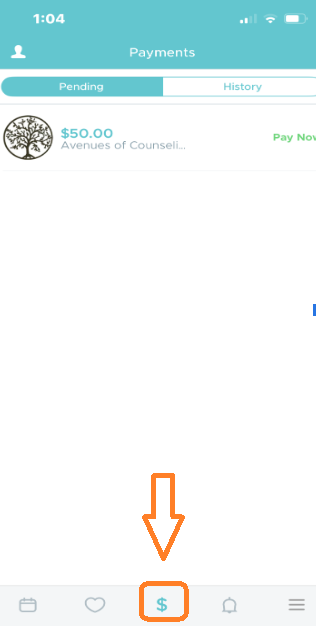
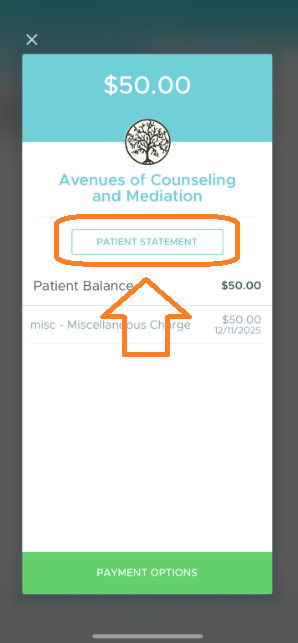
For iPhone: Log into your Breeze account. Click on $ in the bottom bar. Then click on the balance, then Patient Statement button. This generates a current statement.
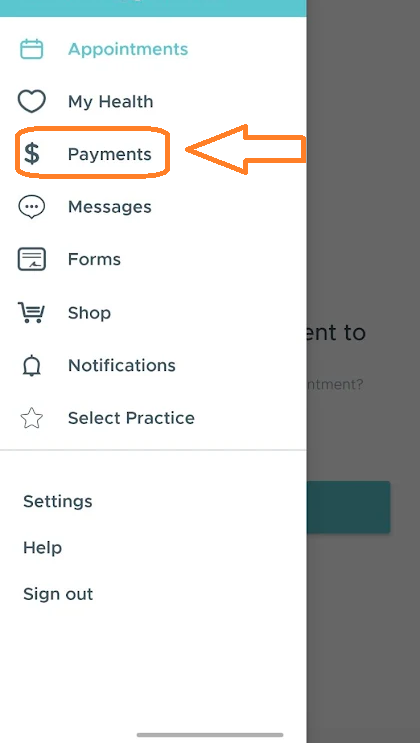
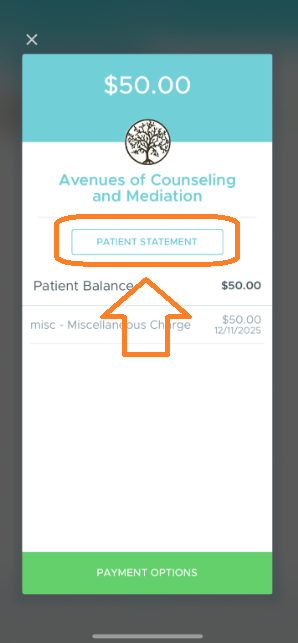
For Android: Log into your Breeze account. Click the 3-line ‘hamburger’ menu at that top left. Then click Payments. Then click on the balance, then Patient Statement button. This generates a current statement.
We are happy to assist you if you are unsure how to find this in your personal Breeze account.
See these example images below, however be aware there still may be variations depending on device
Balance Auto-Charge Update
Prior to 2026, balance payments were automatically charged to the credit card on file if they were unpaid 30 days past the statement due date. Beginning January 2026, any past due balance will be auto-charged to the credit card on file if it remains unpaid 10 days past the statement due date.
If you have questions about your balance, our Billing Department can be reached at (330)723-7977, Option 3.